
Static Tags
A static tag is a pre-assigned, non-changing entry number attached to an item (like a jar of canned goods or a plate of cookies).
Once assigned, that tag stays with the exhibit the entire fair. Static tags are used for identification of the exhibit and linking to exhibitor info.
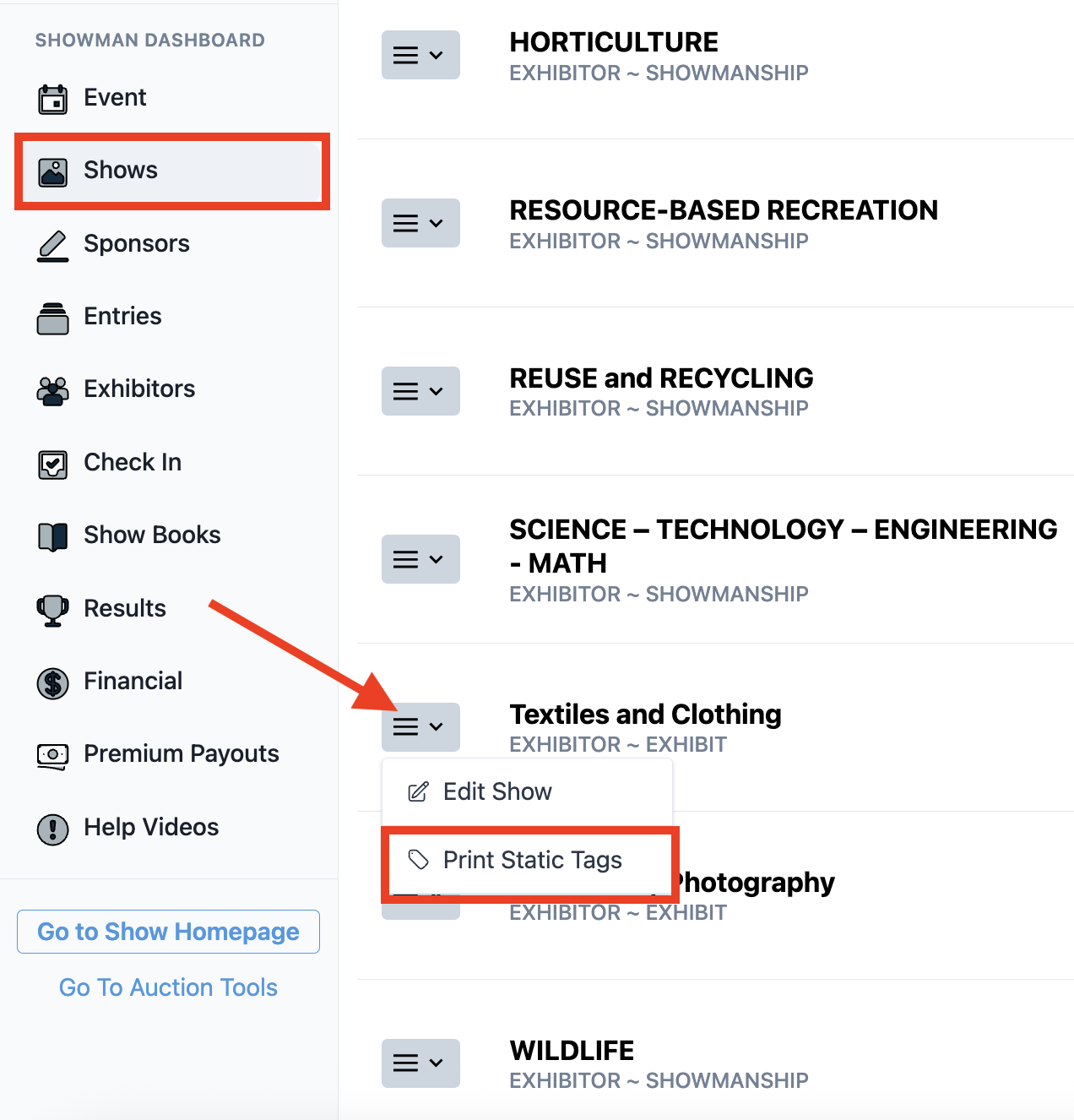
Here is how to print static tags on Showman.
- Go to the Shows section on the admin dashboard.
- Click the 3 line dropdown next to the show you would like to print tags from.
- Select Print Static Tags.
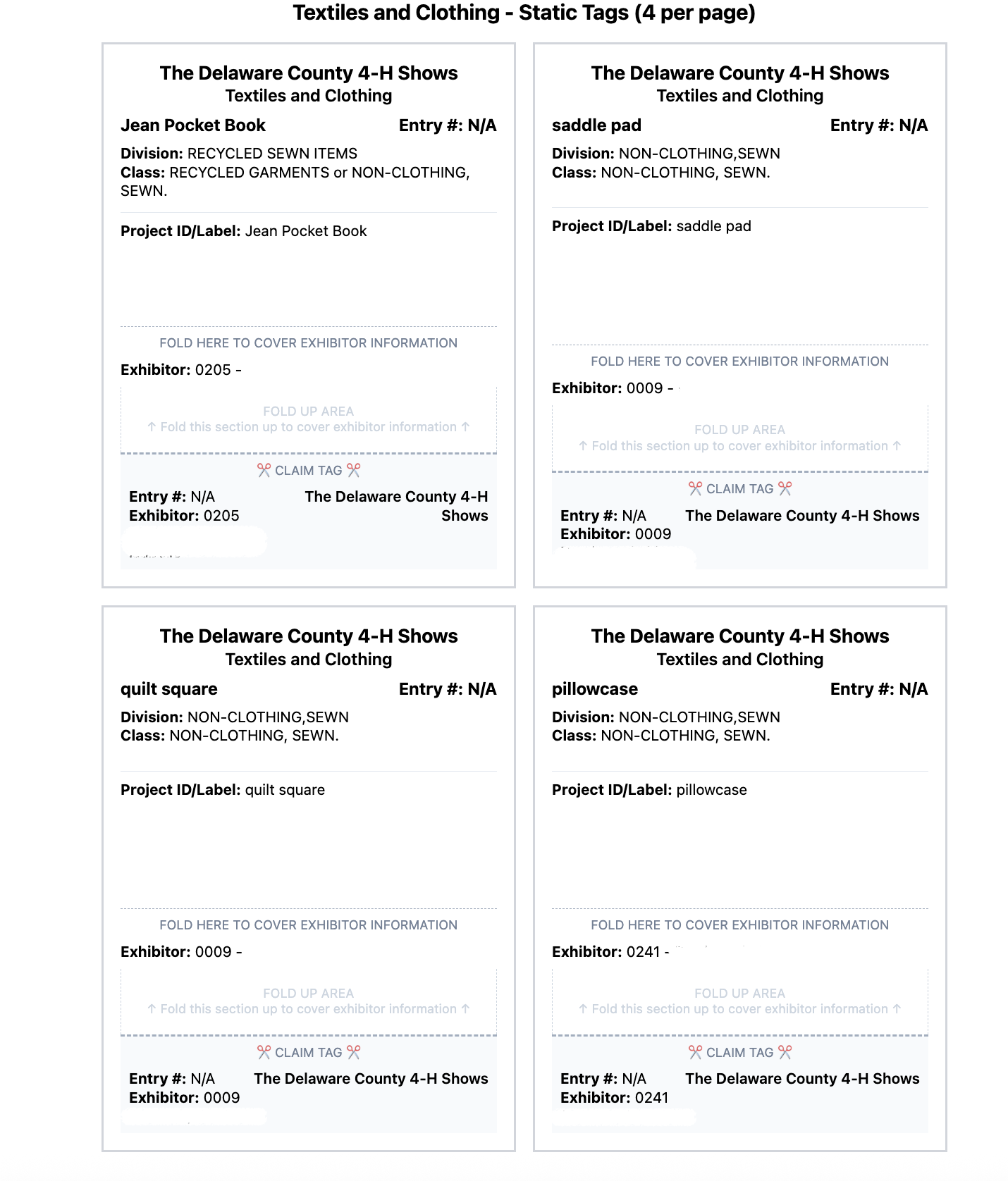
Here is an example of what the tags will look like:
If this did not answer your question, please feel free to email us at support@showman.app.